PRA, FBR & KPRA Invoice
Submission, Made Simple.
Submit fiscal invoices to Punjab Revenue Authority (PRA), Federal Board of Revenue (FBR), and Khyber Pakhtunkhwa Revenue Authority (KPRA) with a single click. No manual forms, no complicated paperwork.





Simple 3-Step Process
How It Works
Get started with fiscal invoice compliance in minutes.
1. Create Invoice
Fill in your fiscal invoice details through our intuitive form. Auto-calculations for sales tax, further tax, and withholding are handled automatically.
2. Submit to Authority
With one click, submit your invoice directly to PRA, FBR, or KPRA. Our system handles the API integration, authentication, and response handling.
3. Stay Compliant
Track submission status, download PDF receipts, and maintain a complete audit trail. Never miss a filing deadline again.
Multi-Authority Support
PRA, FBR & KPRA Integration.
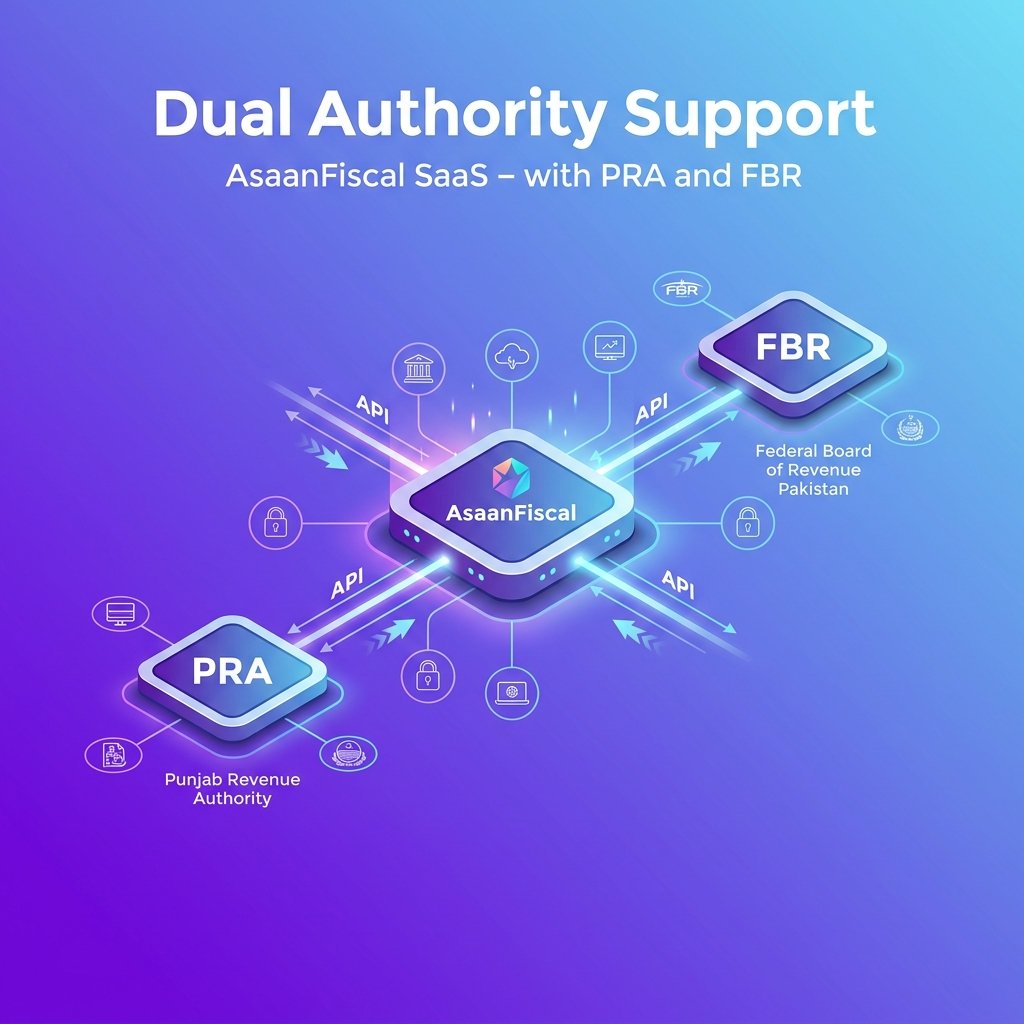
AsaanDigital integrates with the Punjab Revenue Authority (PRA), Federal Board of Revenue (FBR), and Khyber Pakhtunkhwa Revenue Authority (KPRA). Whether you need to submit sales tax invoices to PRA/KPRA or file invoices under FBR POS rules, we've got you covered.
No more juggling between different portals and manual data entry. Submit to any revenue authority from a single, centralized dashboard.
Built-in Intelligence
Smart Tax Calculations.
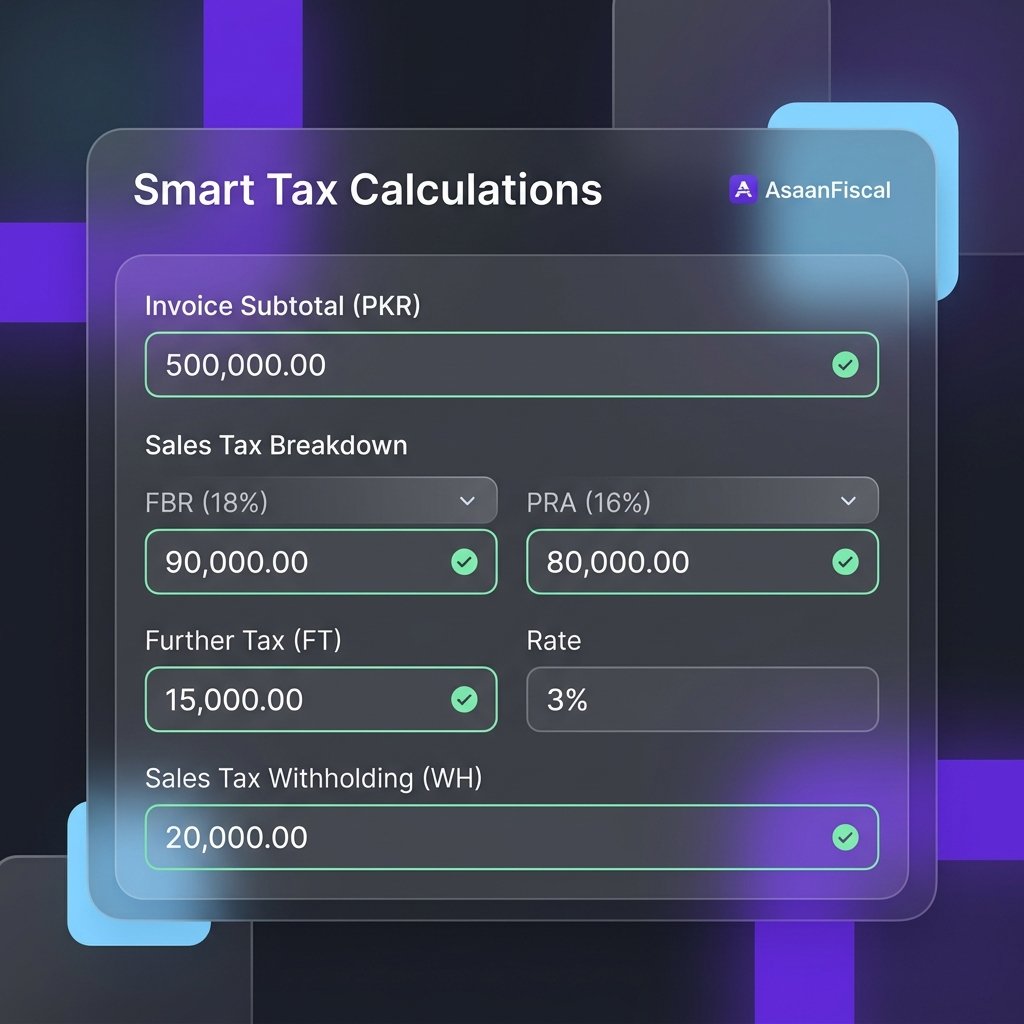
Say goodbye to manual tax computations. AsaanDigital automatically calculates sales tax, further tax, extra tax, and sales tax withholding based on the invoice type and applicable rates.
Supports multiple invoice types including sales invoices, credit notes, and debit notes with correct tax treatment for each.
Professional Output
PDF Invoice Generation.
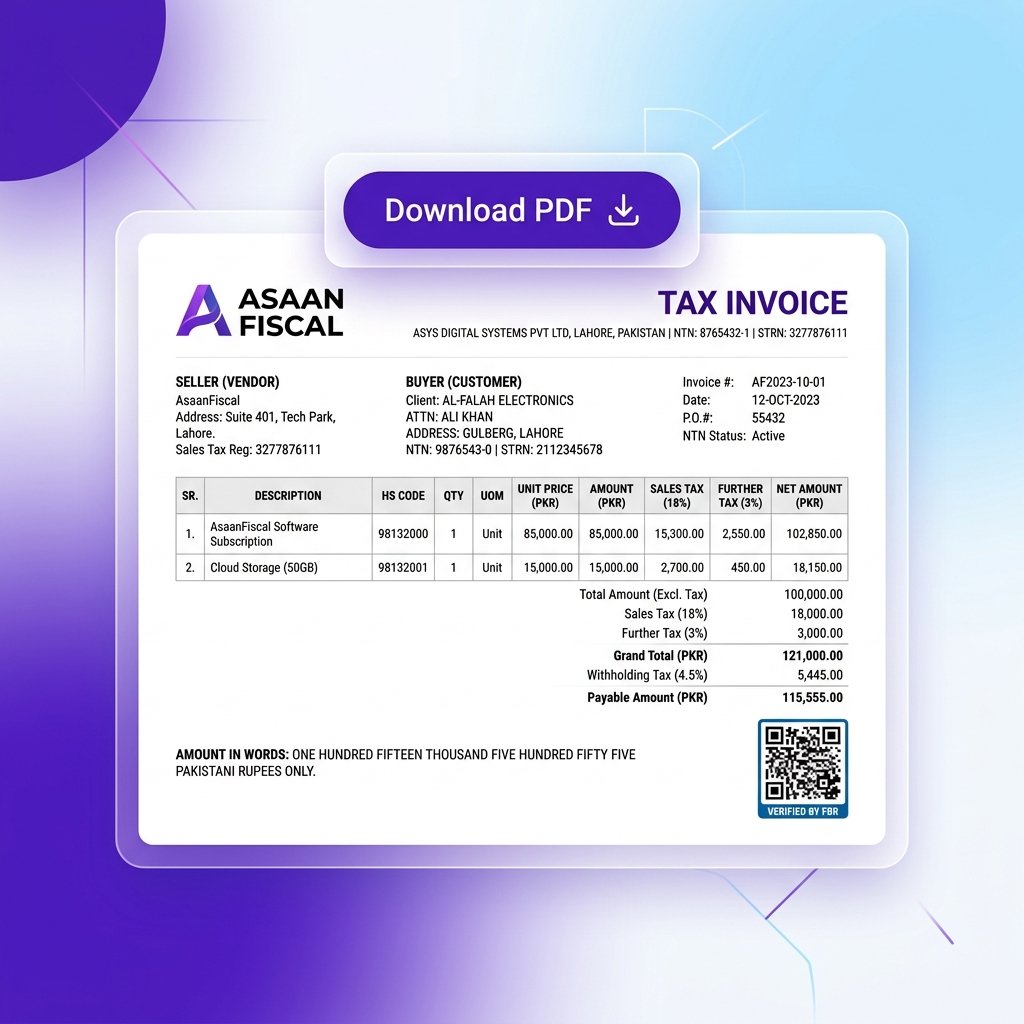
Generate compliant PDF invoices that meet PRA, FBR, and KPRA formatting requirements. Download, print, or email invoices directly from the dashboard.
Each PDF includes all required fields: seller/buyer information, item details, tax breakdowns, and authority-specific reference numbers.
Full Control
Draft & Submission Workflow.
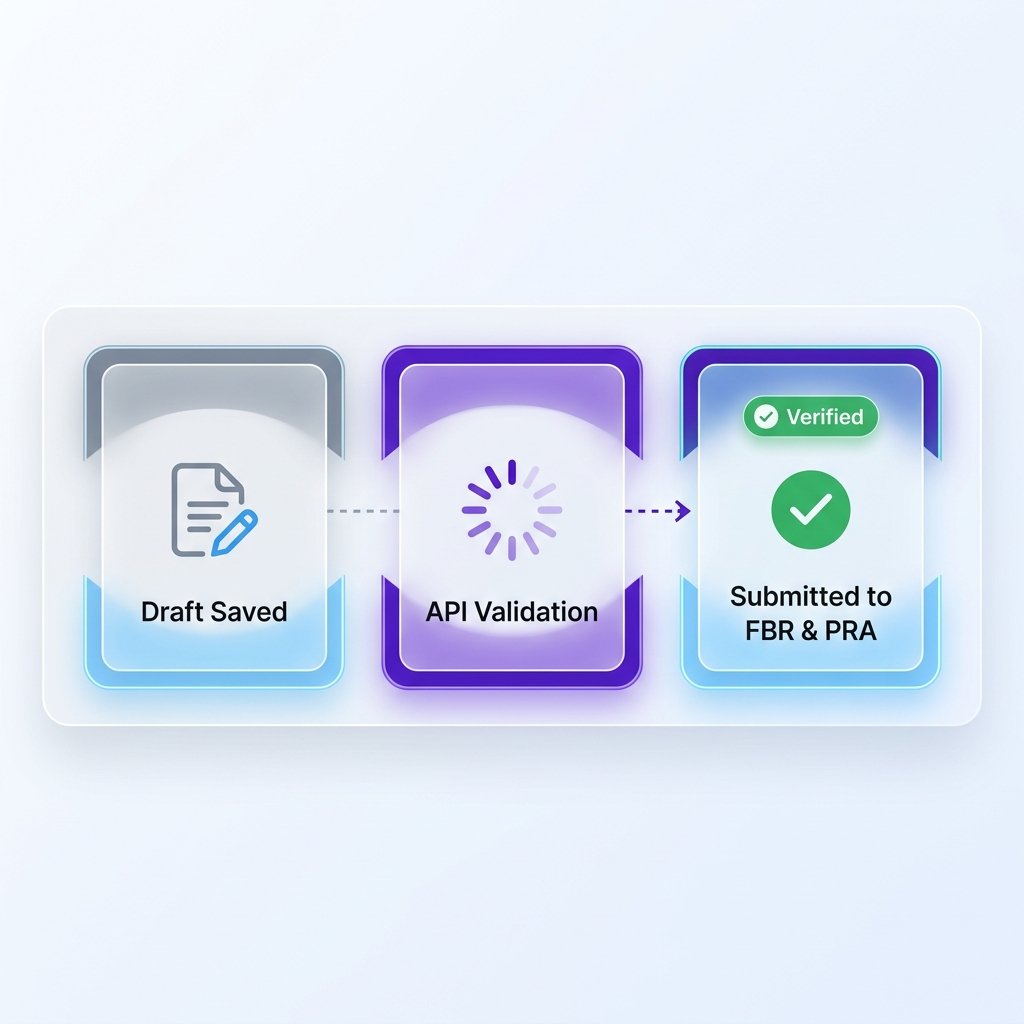
Save invoices as drafts while you gather all required information. Review, edit, and submit when ready. Track the submission status every step of the way.
If a submission fails, our system intelligently queues it for retry and notifies you. Peace of mind from creation to compliance.
Trusted by Regulators
Supported Tax Authorities
Punjab Revenue Authority
Submit sales tax invoices to PRA's integrated online system. Compliant with Punjab Sales Tax on Services rules and regulations.
- ✓ Direct PRA API integration
- ✓ Automatic invoice numbering
- ✓ Real-time submission status
- ✓ Compliance reporting
Federal Board of Revenue
File invoices under FBR POS integration rules and sales tax requirements. Stay compliant with federal tax regulations effortlessly.
- ✓ FBR POS system integration
- ✓ Real-time invoice filing
- ✓ Sales tax return preparation
- ✓ Secure API communication
KP Revenue Authority (KPK)
Submit sales tax invoices to KPRA's online system. Compliant with Khyber Pakhtunkhwa Sales Tax on Services regulations.
- ✓ Direct KPRA API integration
- ✓ Automated KPK tax rates & rules
- ✓ Real-time invoice verification
- ✓ Compliance audit trails
Everything at Your Fingertips
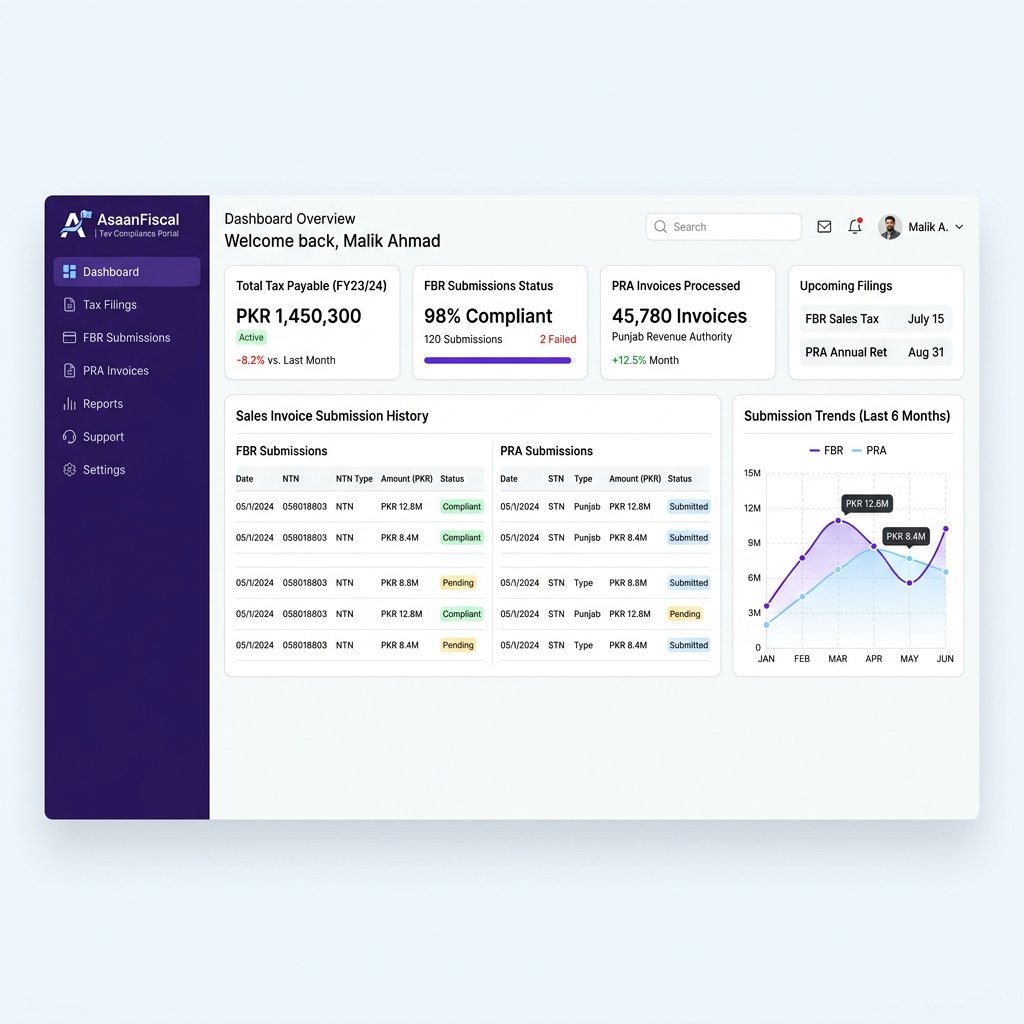
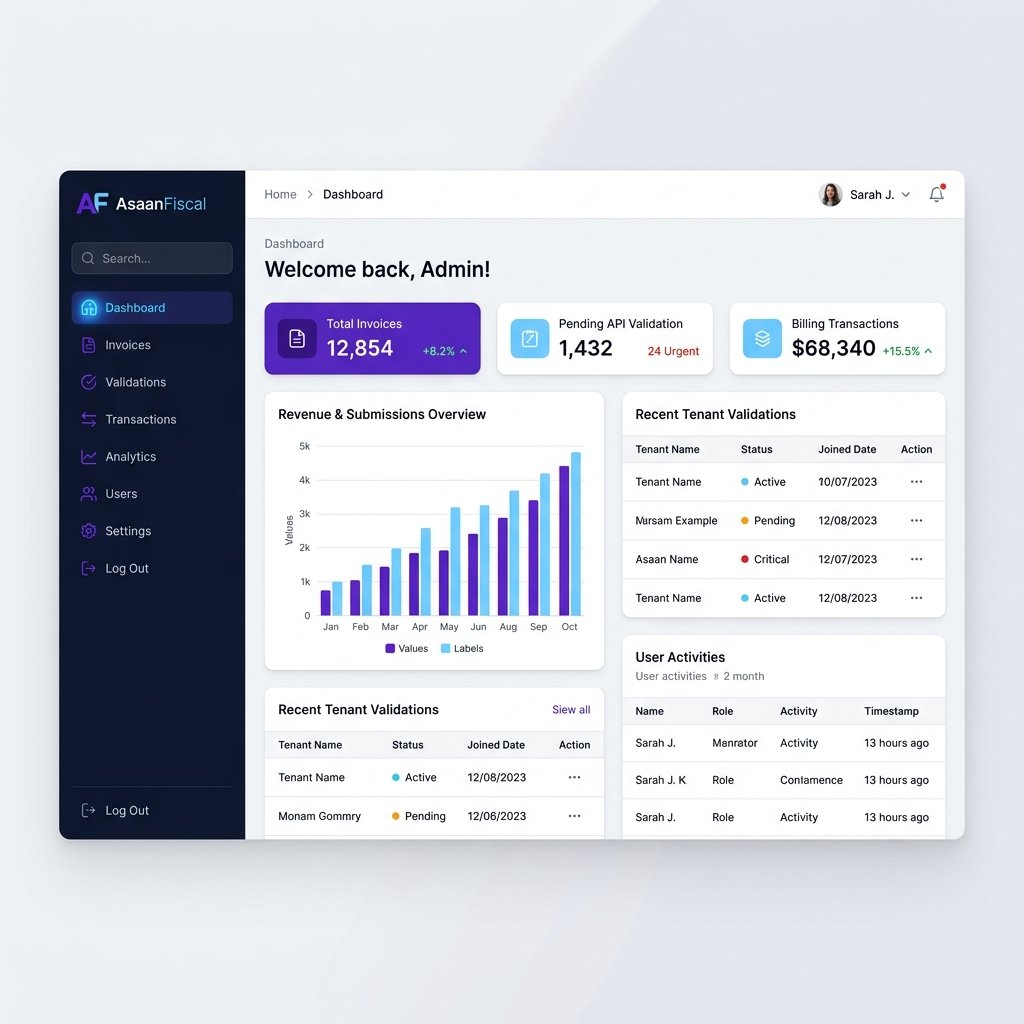
Manage Everything from One Dashboard.
Create, submit, and track all your fiscal invoices from a single, beautiful dashboard powered by Filament.
And There's More
Additional Capabilities
Invoice History & Audit Trail
Complete history of all invoices created, submitted, and their statuses. Full audit trail for compliance and reporting.
Multi-Tenant Support
Perfect for accounting firms and enterprises. Each tenant gets isolated access to their own invoices and submission history.
Role-Based Access
Control who can create, submit, and approve invoices. Granular permissions for teams of all sizes.
FAQ
Got Questions?
Everything you need to know about AsaanDigital.
AsaanDigital is a fiscal invoice management platform that makes it easy for businesses in Pakistan to submit invoices to the Punjab Revenue Authority (PRA), Federal Board of Revenue (FBR), and Khyber Pakhtunkhwa Revenue Authority (KPRA). It automates tax calculations, handles API integration with tax authorities, and provides a beautiful dashboard for managing the entire invoice lifecycle.
AsaanDigital supports key revenue authorities in Pakistan:
- Punjab Revenue Authority (PRA) — for sales tax on services in Punjab
- Federal Board of Revenue (FBR) — for federal sales tax and POS integration
- Khyber Pakhtunkhwa Revenue Authority (KPRA) — for sales tax on services in KPK
Support for additional provincial revenue authorities (Sindh, Balochistan) is coming soon.
AsaanDigital supports multiple invoice types to cover your business needs:
- Sales invoices (standard)
- Credit notes
- Debit notes
The process is simple: create your invoice using our intuitive form, review the auto-calculated tax amounts, and submit to the relevant tax authority with a single click. Our system handles the API communication, authentication, and response processing. You get real-time feedback on the submission status.
Absolutely. AsaanDigital uses encrypted storage for all invoice data, secure API communication with tax authorities, and role-based access control to ensure only authorized users can view or submit invoices. We follow industry best practices for data security and privacy.
Yes! AsaanDigital supports exporting invoices in PDF and CSV formats. PDF invoices are professionally formatted and compliant with tax authority requirements. CSV exports are perfect for accounting software integration and record keeping.
Of course! We offer email and chat support to help you with any issues or questions. Contact us at support@asaan-digital.com and we'll get back to you promptly.
Manual filing requires logging into separate government portals, manually calculating taxes, and re-entering data multiple times. AsaanDigital automates tax calculations, provides a single interface for PRA, FBR, and KPRA, handles API integration, maintains a complete audit trail, and generates professional PDF invoices. What takes hours manually takes minutes with AsaanDigital.